Rank Tracker: Custom Editing Mode
We added the ability to turn on/turn off editing possibilities for each section of Rank Tracker.
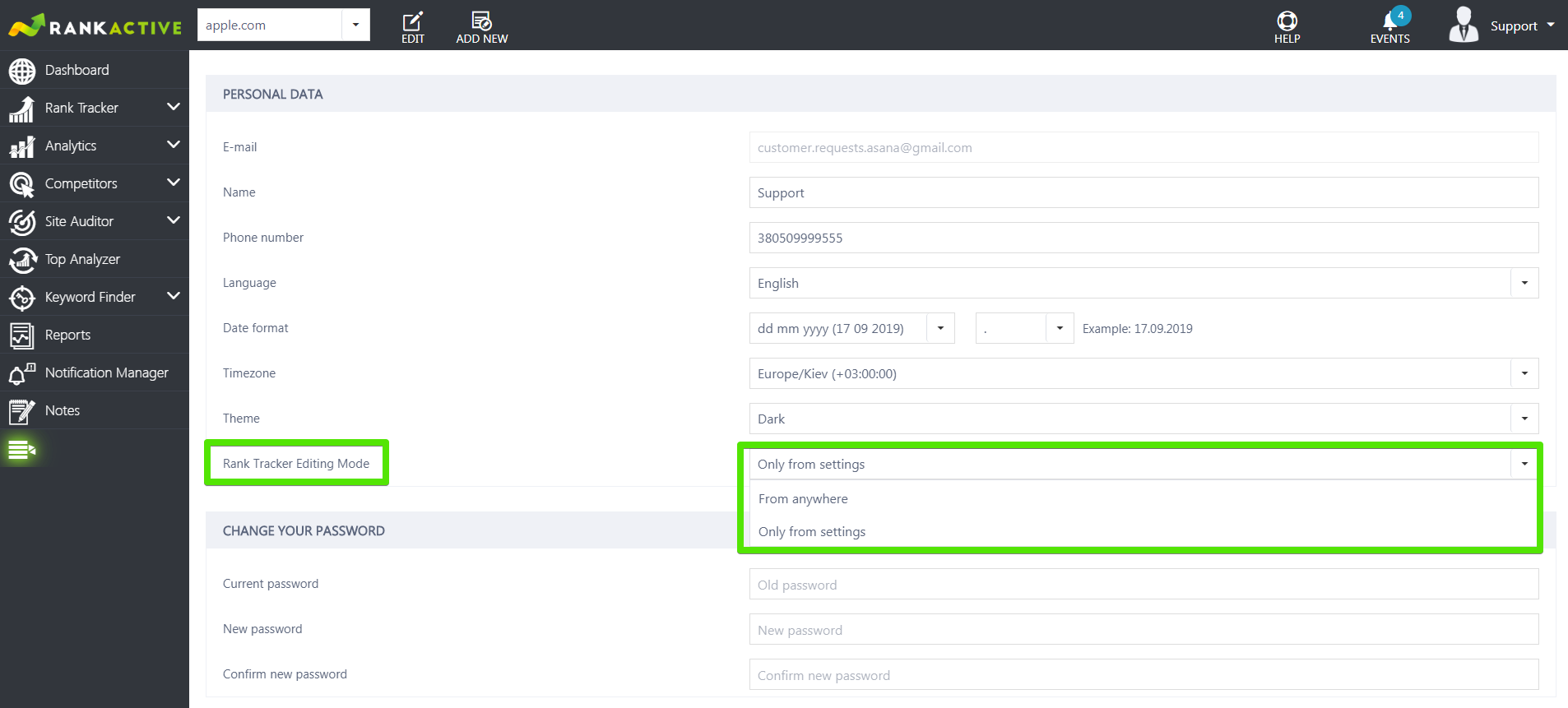
If you turn on the Editing Mode in your Profile section, you’ll be able to edit keywords from each subsection within Rank Tracker.
Moving is living. Is it the same with software? I am pretty sure, it is not. The fewer steps we need to accomplish a certain task - the better user experience we have.
That’s why you can add the keywords or delete them from any subsection within Rank Tracker.
However, extensive selection and customizable opportunities do require resources and power, what’s obviously affects loading time. So, we added the possibility for you to choose where you’d like to make the changes into Rank Tracker from. Just navigate to Profile and choose convenient editing mode.